RapidDraft Agent + local AI flow
Demo-facing architecture for explaining how RapidDraft Agent uses a controlled local-AI route while keeping engineering data, model outputs, and release decisions governed.
← Data security · Release check demo · Demo day checklist
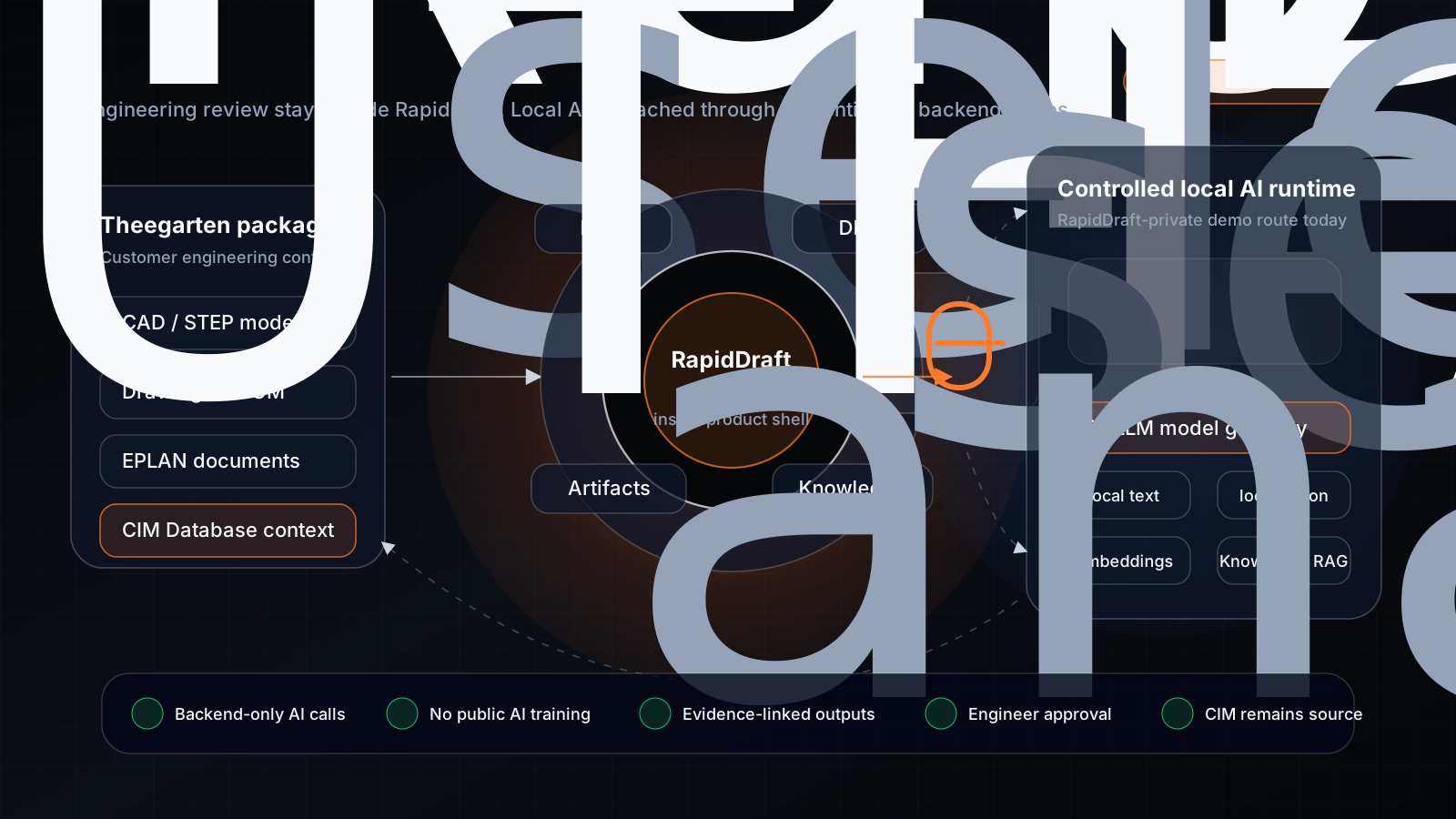
The one picture
What this means for Theegarten
| Concern | Answer in the demo |
|---|---|
| Where does our CAD/BOM data go? | In the current hosted demo, RapidDraft processes the selected package through RapidDraft-controlled backend services and calls the local-AI route through authenticated server-to-server APIs. For a Theegarten pilot, the same pattern is designed to move into a customer-controlled network or dedicated private environment. |
| Is this a public AI chatbot? | No. RapidDraft Agent is inside RapidDraft and calls backend tools for model, BOM, DFM, Knowledge, and artifacts. Knowledge/RAG is one backend tool, not a separate product. |
| Will our data train a model? | No silent training. Project documents may be indexed for retrieval inside the project boundary, but customer drawings, BOMs, prompts, and embeddings are not reused for other customers or model training. |
| Can engineers trust the answer? | Outputs are evidence-linked: drawing zones, BOM rows, DFM rule names, and cited documents where available. The engineer approves or rejects; RapidDraft does not auto-release. |
| How is access controlled? | The hosted demo calls localai.rapiddraft.ai and knowledge.rapiddraft.ai through authenticated backend routes with bearer credentials. Direct browser access to the local AI services is not exposed as the product path. |
Demo talking track
Use this in the security section before showing the live product:
“RapidDraft is the engineering workspace. The Agent lives inside it and calls private tools behind the scenes. For this demo, the AI runtime is on a RapidDraft-controlled Fedora server behind an authenticated API boundary. In a Theegarten pilot, the same pattern is designed to move into your controlled network or a dedicated isolated environment. We do not train on your design data, and the PLM release decision stays with your engineer.”
Trust guardrails
- No auto-release: RapidDraft drafts findings and release notes; CIM Database remains authoritative.
- No silent training: project indexing is for retrieval inside the project boundary, not cross-customer model training.
- No direct browser model calls: RapidDraft backend mediates access to local AI and Knowledge services; the browser does not call the model endpoints directly.
- Evidence first: each result should point to the model, drawing, BOM line, DFM rule, or cited document that caused it.
- Deployable boundary: the current demo uses RapidDraft-private infrastructure; the pilot story is customer-controlled or dedicated private deployment.
Words to avoid
| Avoid | Safer wording |
|---|---|
| “The AI sees everything” | “The Agent receives the specific package context and calls approved backend tools.” |
| “We train the model on your drawings” | “We index project documents for retrieval; no cross-customer model training.” |
| “Fully automatic release” | “Engineer-approved release support.” |
| “RAG chat” | “Knowledge-backed Agent tool with cited answers.” |
| “Public cloud AI” | “Controlled local AI route, with optional customer-controlled deployment.” |
Sources
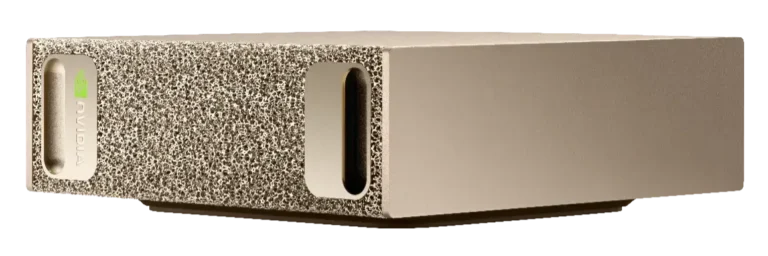
- NVIDIA DGX Spark product page
- Local AI server wiki: Overview and Architecture
- Local AI server wiki: Cloudflare and Railway Access Contract
- Theegarten wiki: Data security
- Theegarten wiki: Release check demo
Open Questions
- Should the pilot diagram say “customer on-prem” once Theegarten confirms their deployment preference?
- Which Theegarten EPLAN folder should be used as the first Knowledge/RAG example in the live demo?
- Should the DGX Spark image remain an external NVIDIA reference or be replaced with a RapidDraft-owned server photo for public leave-behinds?